Introducing Muninn: A Retro-Premium GitHub Portal and Browser Agent Hub
In Norse mythology, Odin has two ravens: Huginn (thought) and Muninn (memory). Every day, they fly over the world and return to whisper everything they see into Odin’s ear.
As developers, we do something similar, but with less majesty and more browser tabs. We click through twenty different repository pages to check Dependabot alerts, open pull requests, triage issues, and watch GitHub Action workflows spin. It is clunky, slow, and wears down your focus.
To fix this, I built Muninn—a fast, responsive, single-pane GitHub portal designed around a retro-premium Gruvbox aesthetic. But it’s more than just a dashboard; it’s also a secure browser-native playground for local AI agents using the experimental WebMCP protocol.
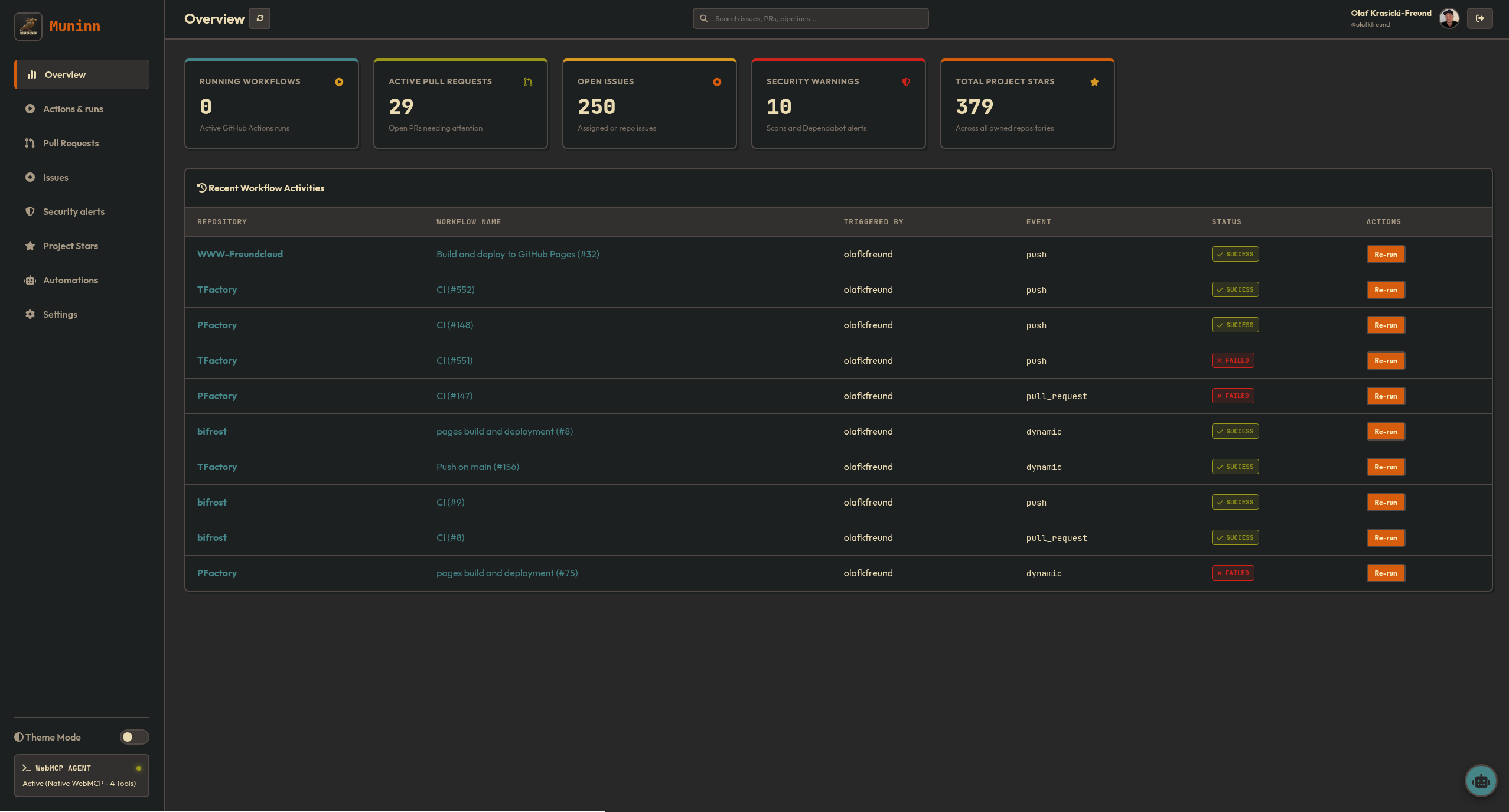
Here is why and how I made it, what it does, and why you should try it.
The Problem: GitHub Fatigue & The Security Tax
Most developers manage multiple repositories. When you start your day, you want answers to a simple set of questions:
- Did any of my nightly workflow builds fail?
- Are there new open PRs or review requests?
- Did Dependabot flag any security vulnerabilities?
- What are my active issues?
GitHub is fantastic for drill-down details, but it lacks a fast, unified “cockpit” view.
To solve this, people usually build or buy dashboard SaaS tools. But connecting your private GitHub repositories to a third-party SaaS means handing over your Personal Access Tokens (PATs) or authorizing OAuth apps to run on external servers. That is a security compromise I wasn’t willing to make.
The Zero-Backend Approach
Muninn is built as a static site using Jekyll and Vanilla JavaScript. It has no database and no backend API server.
When you log into Muninn, you either paste a Personal Access Token (classic or fine-grained) or authenticate using a lightweight local bridge app. Your credentials never leave your machine; they are stored securely in your browser’s localStorage and all API requests to GitHub are made directly client-side.
This architecture offers two massive advantages:
- Instant Speed: There is no middleman database to sync. The portal queries the GitHub API directly from your browser.
- Total Control: Your secrets remain yours. If you close the tab, the dashboard is gone.
Beautiful Tools Make Better Work
If you are going to leave a dashboard open on a second monitor all day, it shouldn’t look like a generic Bootstrap template. It should look like a tool you want to use.
I styled Muninn with a retro-premium Gruvbox palette (supporting both light and dark profiles):
- Flat, solid borders: No soft gradient box-shadows. Every panel has a clean, thick border.
- Retro chunky shadows: Hard, angled offsets that give the UI a tactile feel.
- Curated Typography: Outfit for headings and JetBrains Mono for repo details and code snippets.
It looks like a terminal cockpit but acts with modern speed.
What Muninn Does
The dashboard is structured into core panes:
1. Universal Global Search
A fast, client-side search engine. Start typing, and it instantly filters across all your loaded repositories, active PRs, issues, and workflows in real time.
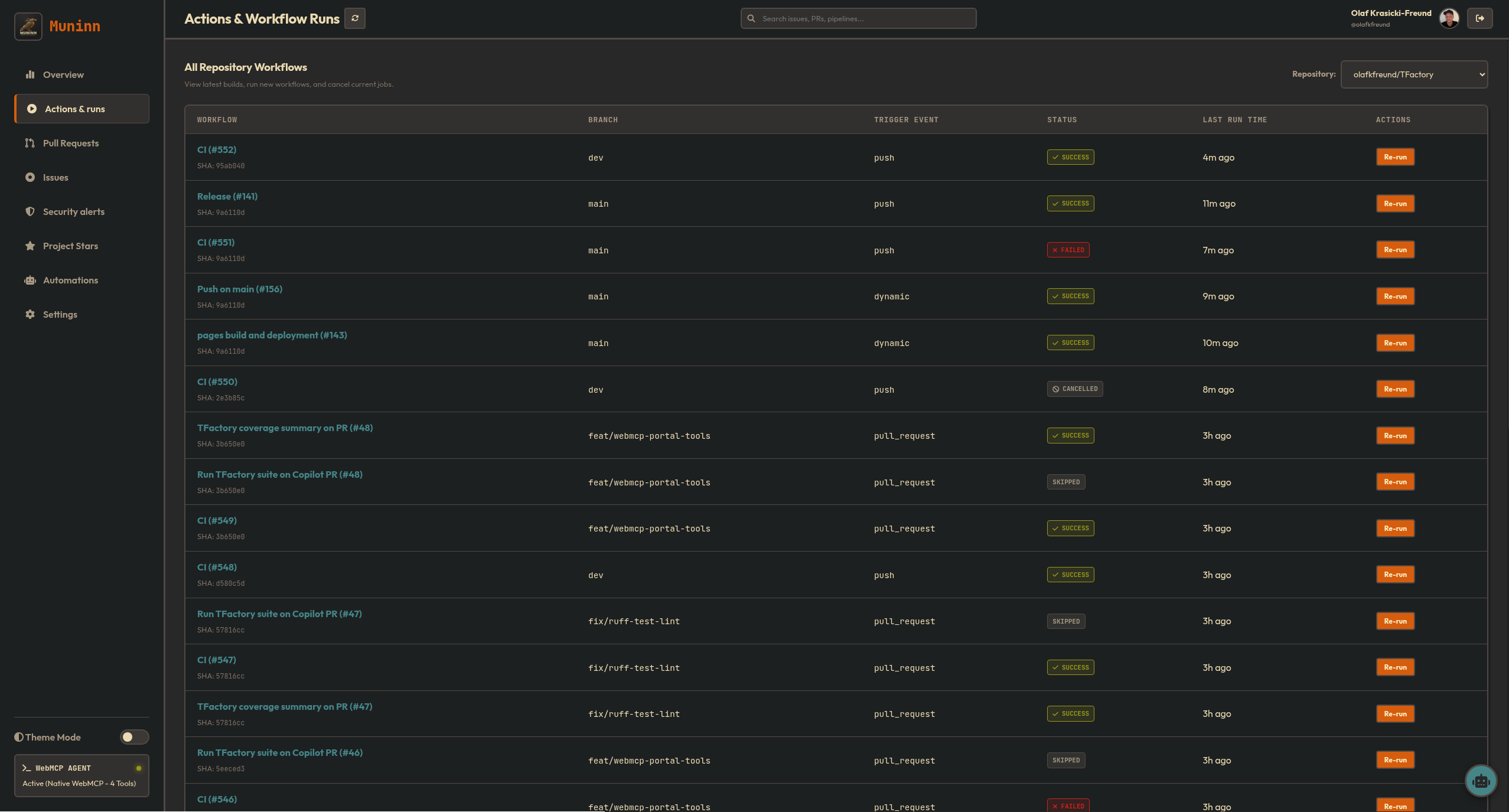
2. Workflow Runner
A live view of GitHub Actions. You can check run statuses (success, failure, active), cancel running builds, or trigger a manual workflow dispatch directly from the UI.
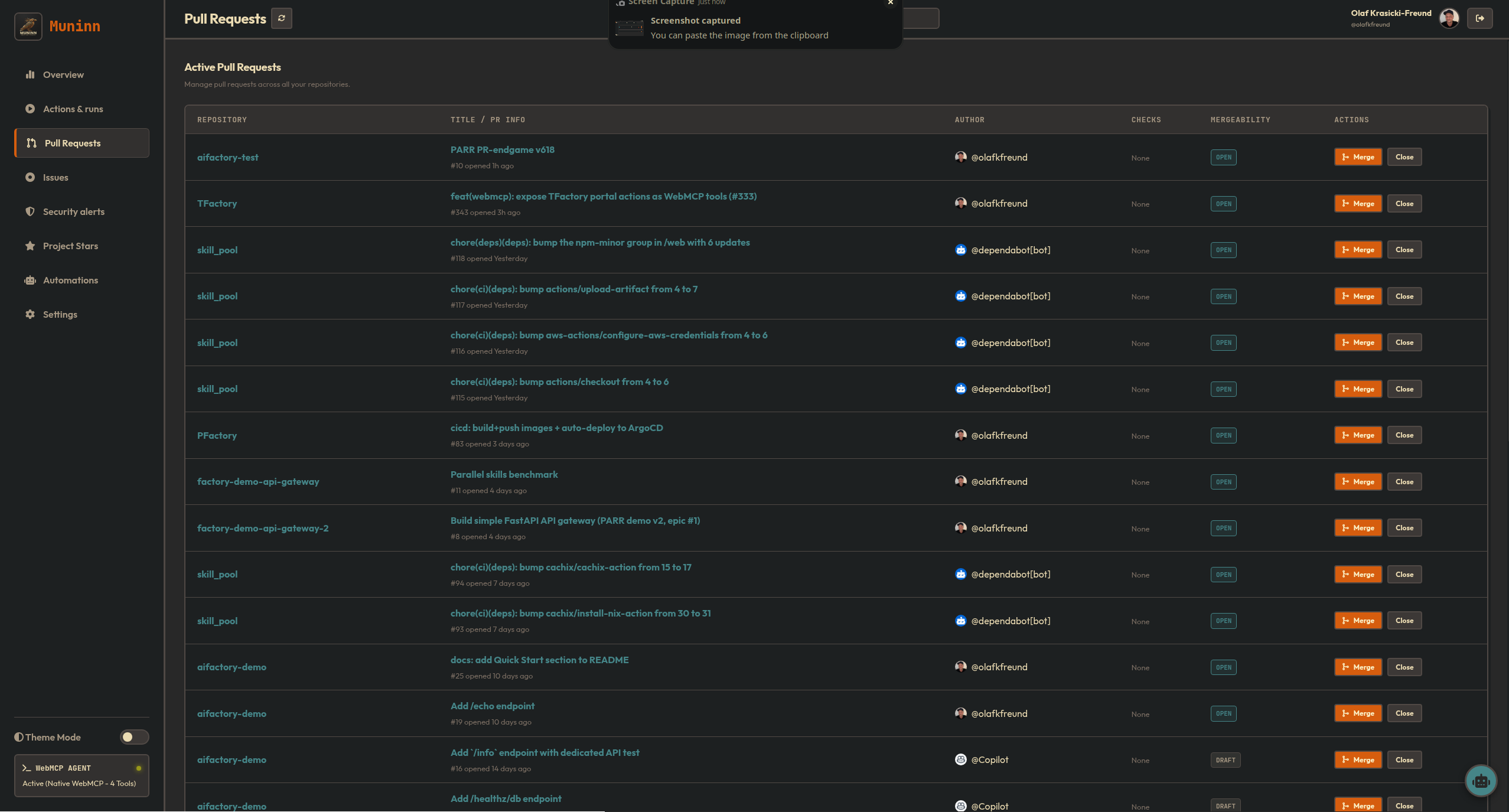
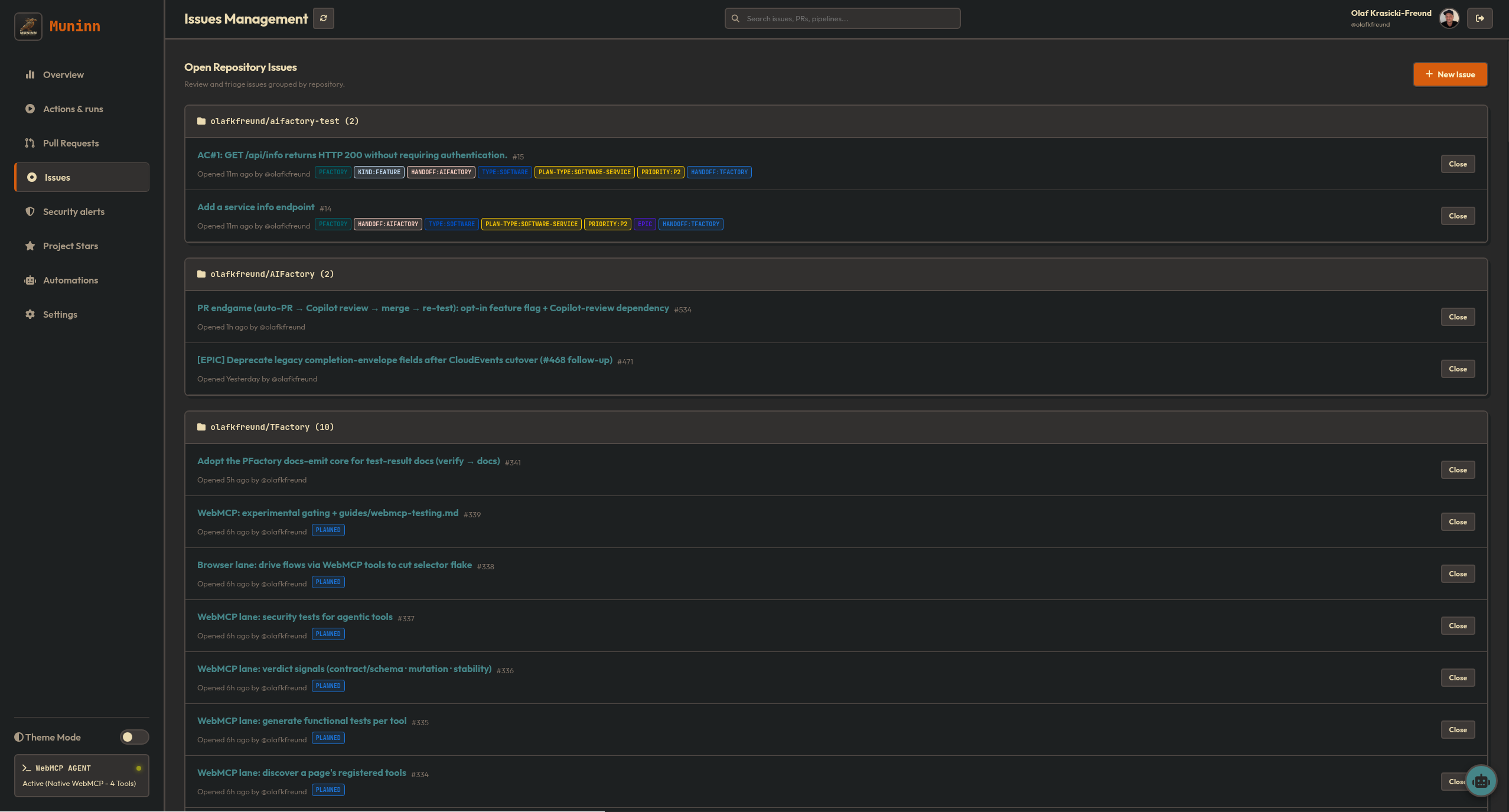
3. Pull Request & Issue Manager
Triage issues, manage reviewers, check status checks, and merge PRs on the fly.
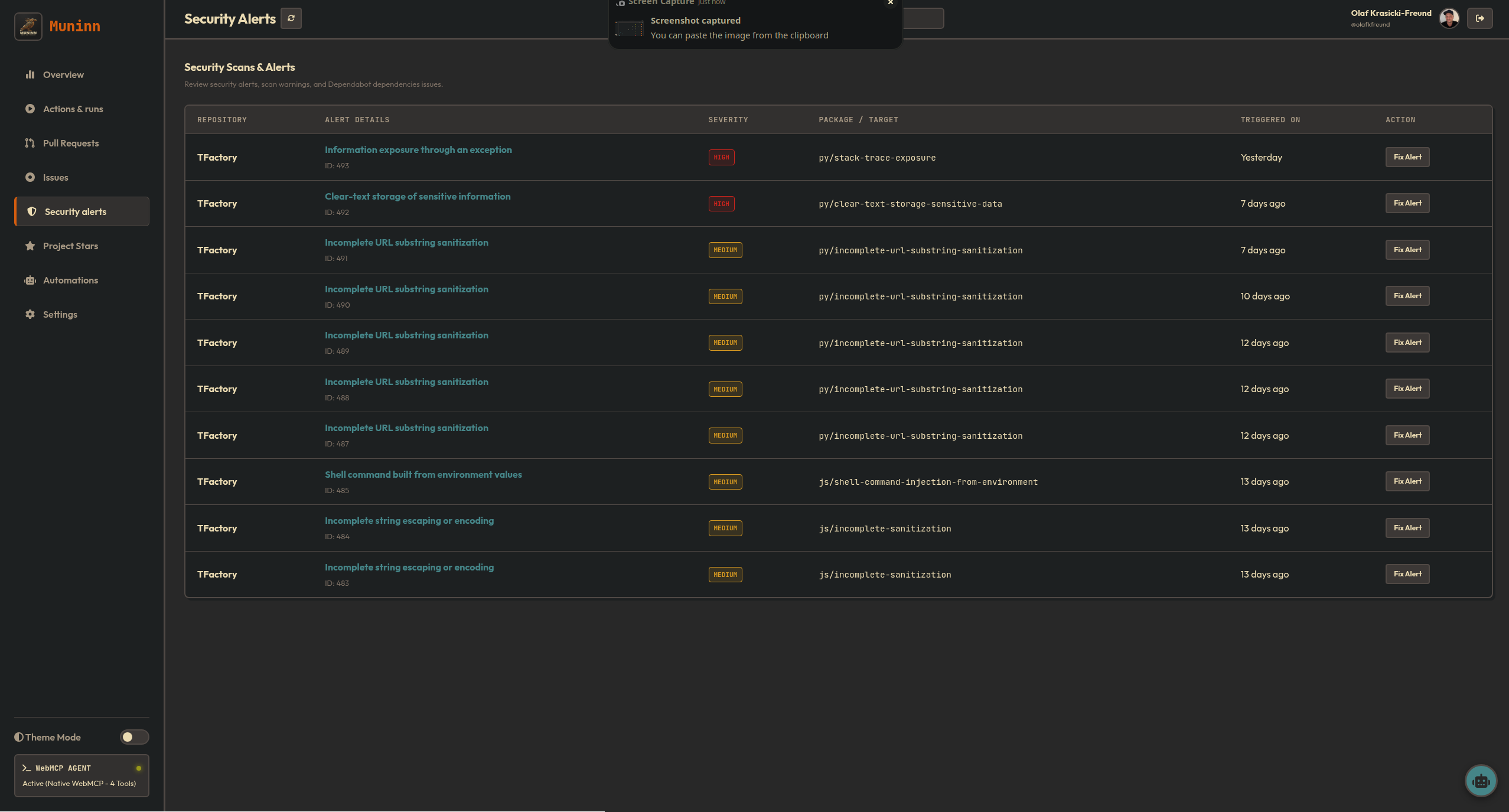
4. Security Center & Stars Analytics
A unified view compiling Dependabot and CodeQL alerts across all repositories, alongside visual statistics for your project star milestones.
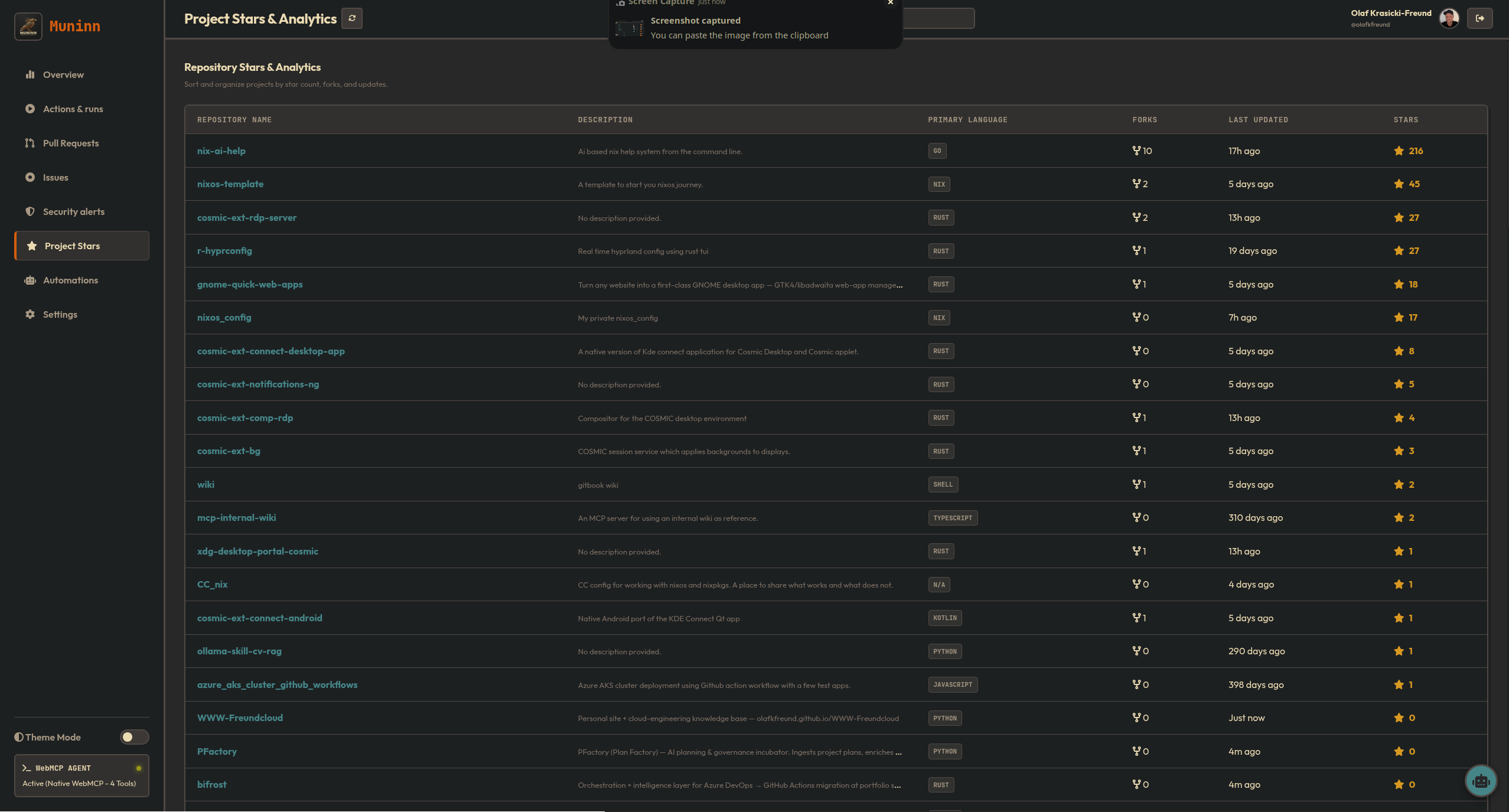
5. Real-time OS Notifications
Muninn diffs state changes between polls. If a workflow fails, a PR is opened, or a security scan finishes, you get a native OS notification and an in-app toast—configured to skip startup noise so you aren’t spammed when you first open the site.
The Fun Part: An LLM Agent Hub
The most exciting aspect of building Muninn was designing it for the future of agentic coding.
Traditional AI coding assistants (like Copilot or local LLMs) operate inside your editor or terminal. But developers live in the browser. What if an AI assistant could interact with your live GitHub state safely, right from your browser tab?
To achieve this, I built two things:
1. WebMCP Integration
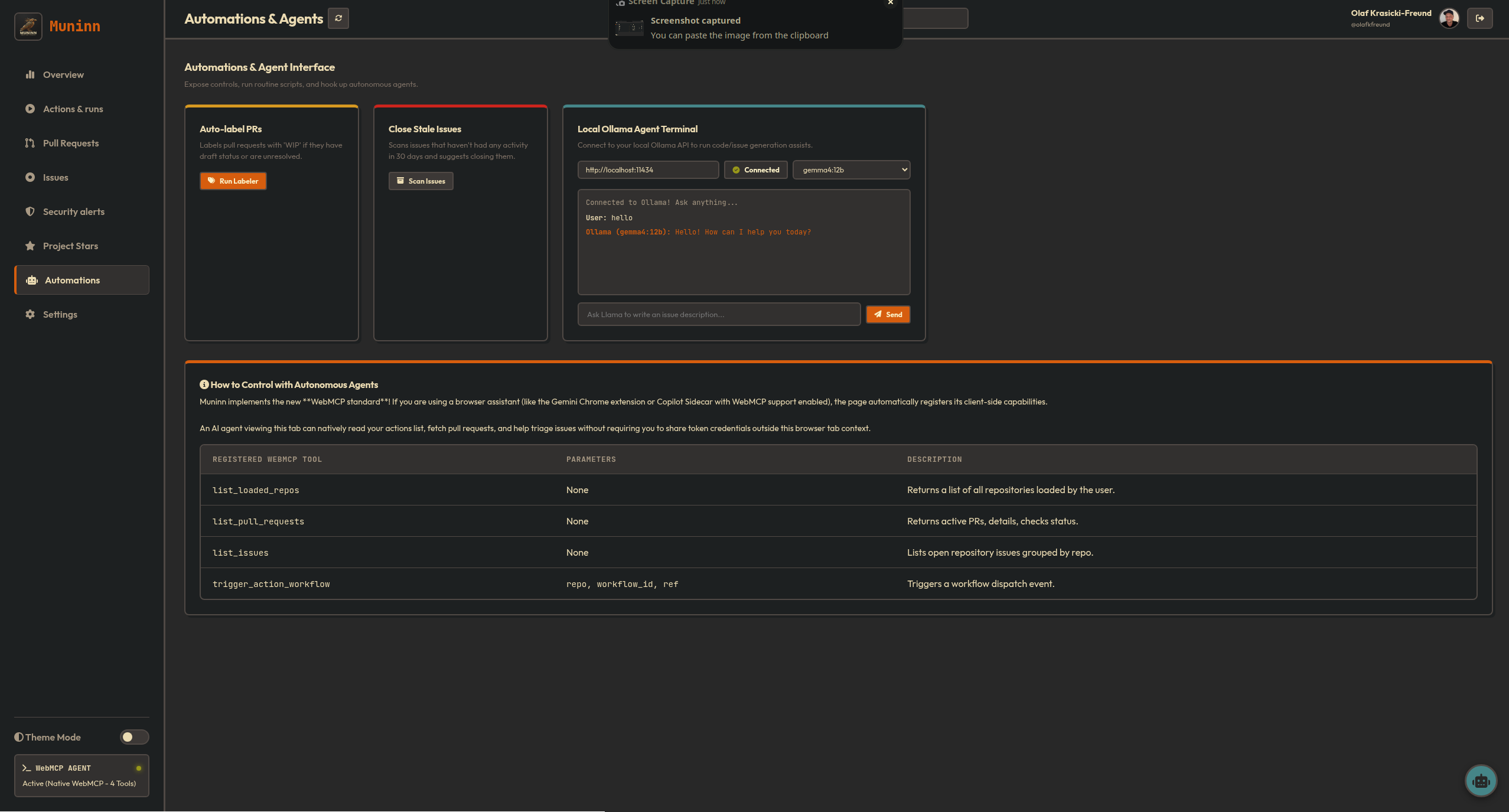
Muninn implements the experimental community draft of WebMCP (Web Model Context Protocol).
If you use a browser that supports WebMCP (or a compatible extension), Muninn automatically registers its client-side state as tools. An AI assistant running in your browser can call tools like list_loaded_repos, list_pull_requests, or trigger_action_workflow directly.
This is a paradigm shift: the AI controls your dashboard locally through your browser’s native capabilities, inheriting your logged-in GitHub session without ever seeing your raw API token.
2. Dual LLM Chat Assistant
A floating chat drawer in the corner of Muninn acts as your dashboard co-pilot. It compiles the current live state of your dashboard (active PRs, open issues, failing workflow runs) and injects it into the LLM system prompt.
You can select between two providers:
- GitHub Models: Query OpenAI’s
gpt-4odirectly using your GitHub credentials (we’ve even added a dedicated PAT override input in the settings panel to handle custom models permissions). - Ollama (Local LLM): Run requests completely offline and locally against your own Llama or Mistral models.
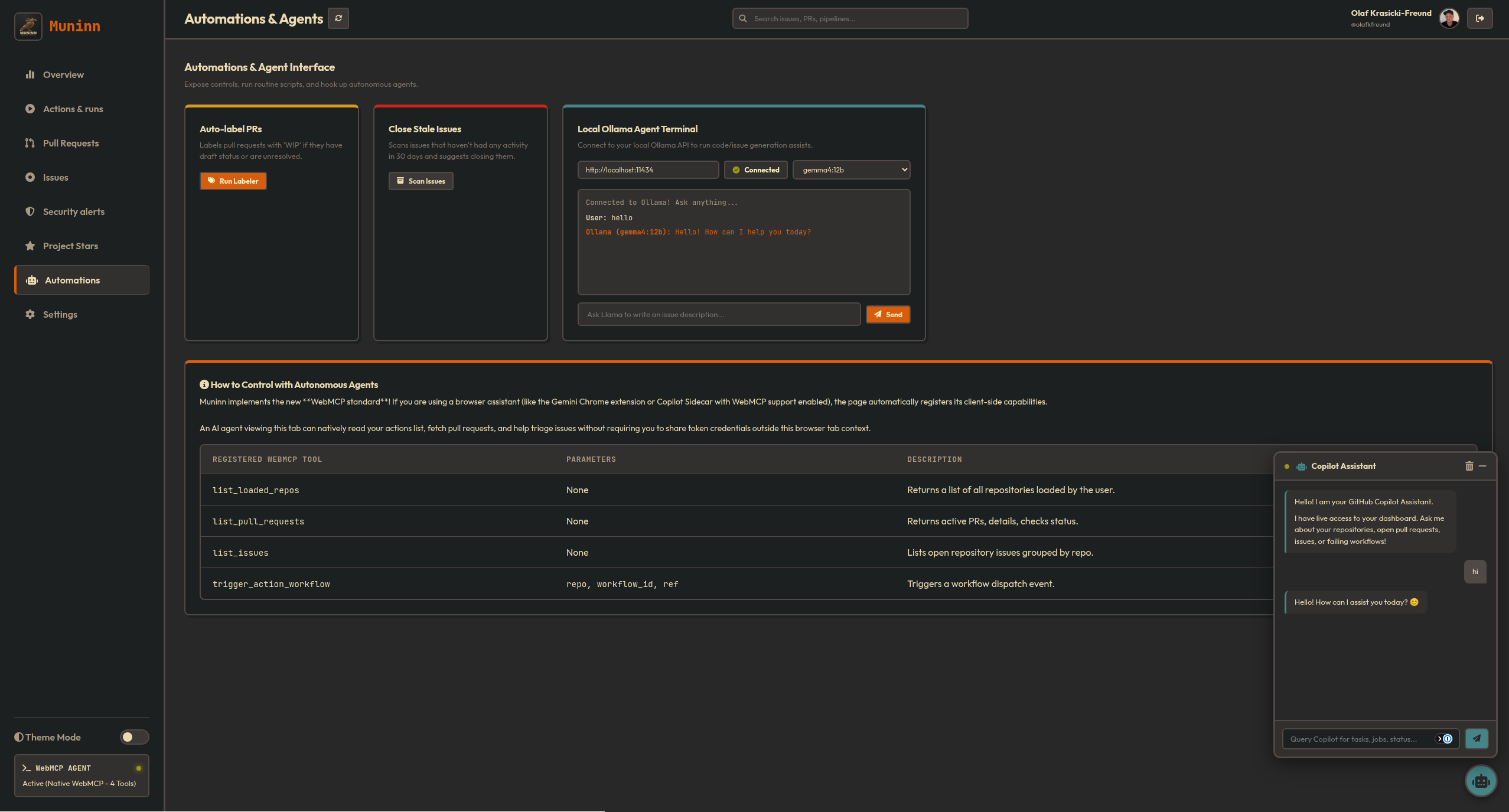
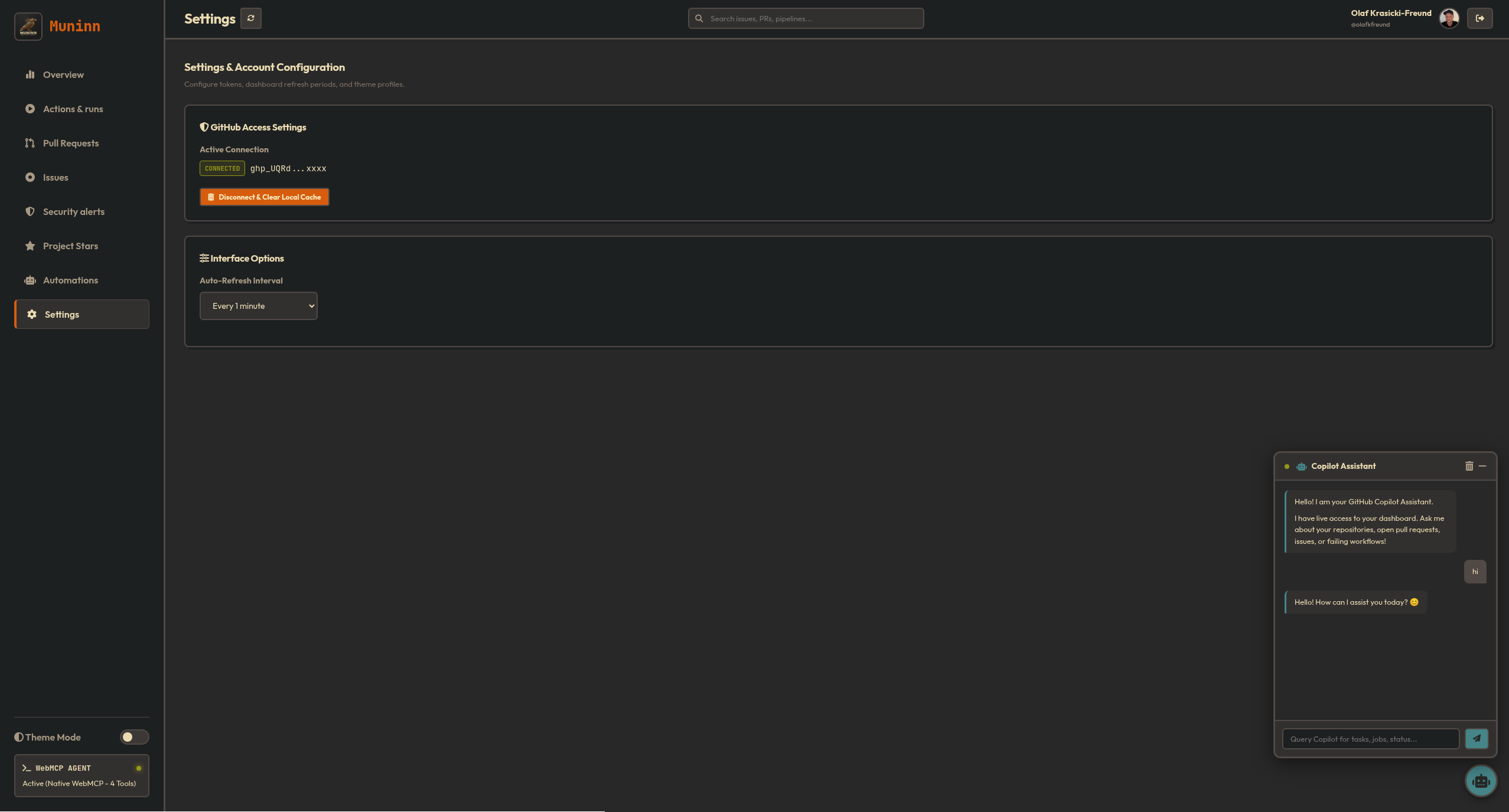
Ask the chatbot: “Which workflow runs failed today?” or “Draft an issue description explaining why the build failed,” and it will use the dashboard’s live data to give you an accurate, context-aware answer.
Try It Yourself
Muninn is fully open source, and because of its serverless nature, you can use the live portal directly or host it yourself in minutes.
- Live Demo: Try it out at muninn.freundcloud.com. Just connect a GitHub PAT with
repoandworkflowscopes. - Run Locally with Nix/Devenv:
If you want to run it in a reproducible development shell:
git clone https://github.com/olafkfreund/Muninn.git
cd Muninn
devenv shell
serve
This fires up a local Jekyll server at
http://localhost:4000/Muninn/. - Autonomous Agent Daemon:
You can also spin up the background agent daemon (powered by the Google Antigravity SDK) to watch your local code edits and run syntax tests:
devenv shell agent
Muninn has earned its permanent spot on my second monitor. It keeps my workflow focused, protects my API keys, and points the way toward secure, browser-native AI agents. Give it a spin and let me know how it fits into your setup!