Creating Azure Bicep modules 💪
What are Azure Bicep Modules?
Bicep Modules are the application of the Don’t Repeat Yourself principle, where a Bicep template calls another Bicep template. As a result, this practice enables the reusability of existing code and can speed up the creation of future resources.
Imagine, for example, that you need to control how infrastructure resources are created. To accomplish this, you can implement rules in the bicep templates that, for example, restrict the size of virtual machines or the regions in which they can be created.
Since the definition has already been created and the rules, will probably remain the same in the next project, it is not necessary to create a new definition. We can create a module that allows us to save valuable time and money by reusing these definitions.
How to create an Azure Bicep Module?
If you are already familiar with Bicep Templates, creating a Bicep Module is effortless, as a module has exactly the same structure and it is not necessary to add any special configuration. It is possible, inclusive, to reuse existing templates as modules.
How to consume an Azure Bicep Module?
Declaring a Bicep Module
When working with Bicep Modules, the syntax changes compared to resources. Instead of declaring resourcethe declaration is now module. Additionally, it is necessary to reference the module path, which can be local or remote.
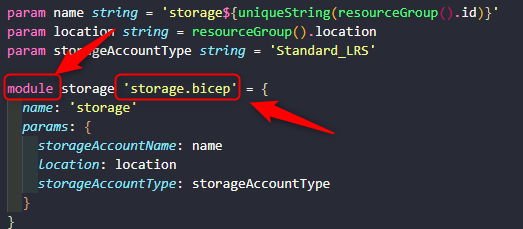
Image prepared by the author
It is also mandatory to add a symbolic name to the resource. The symbolic name can be used to recover an output from the module to be used in another part of the template.
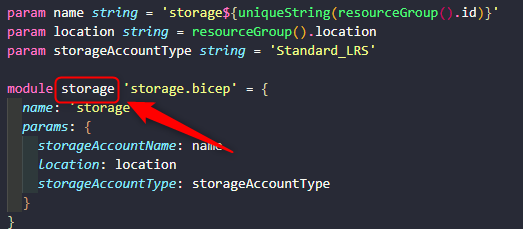
Image prepared by the author
The property name is mandatory. It will become the nested template name in the final template.
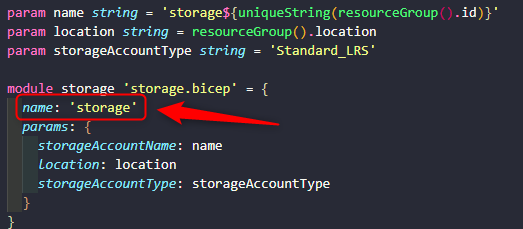
Image prepared by the author
Passing parameters to Bicep modules
The parameters on modules follow the same syntax and contain the same features as regular templates. However, to send the parameters to a module it must be under the params node. It must match those declared in the module, including the validations.
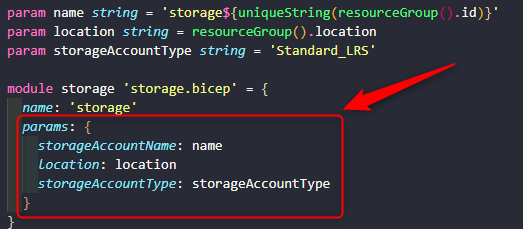
Image prepared by the author
How to deploy an Azure Bicep Module?
Deployment of Bicep Modules works exactly like Bicep Templates. It is possible to use Azure CLI, Azure PowerShell, or even through Azure API.
After running it is possible to see in the deployments of Azure Resource Group the main.bicep deployment:
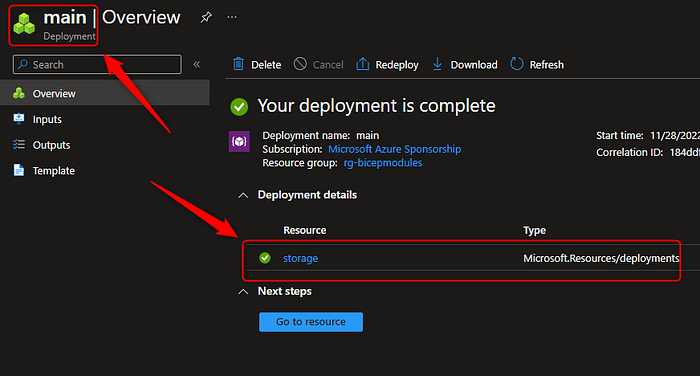
Image prepared by the author
And if we click on the nested storage deployment we can observe the resource storageAccount being deployed :
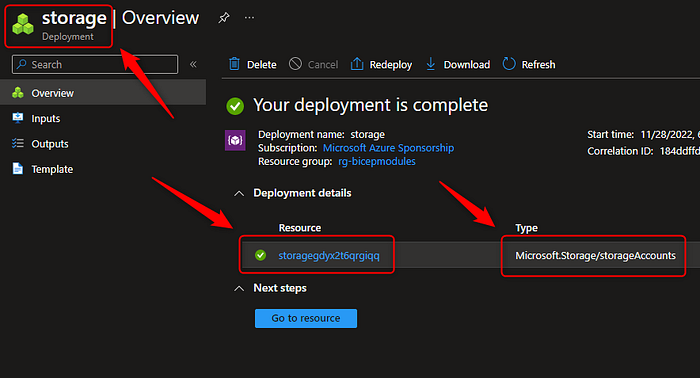
Image prepared by the author
Conclusion
Reusability is one of the main advantages that we can leverage from modularization in any programming language and with Infrastructure as Code templates, it wouldn’t be different. Another benefit is that it also will ensure that your environment is more stable as your templates will be already tested by others, and most importantly, will also save implementation time.