E2E Testing
Introduction
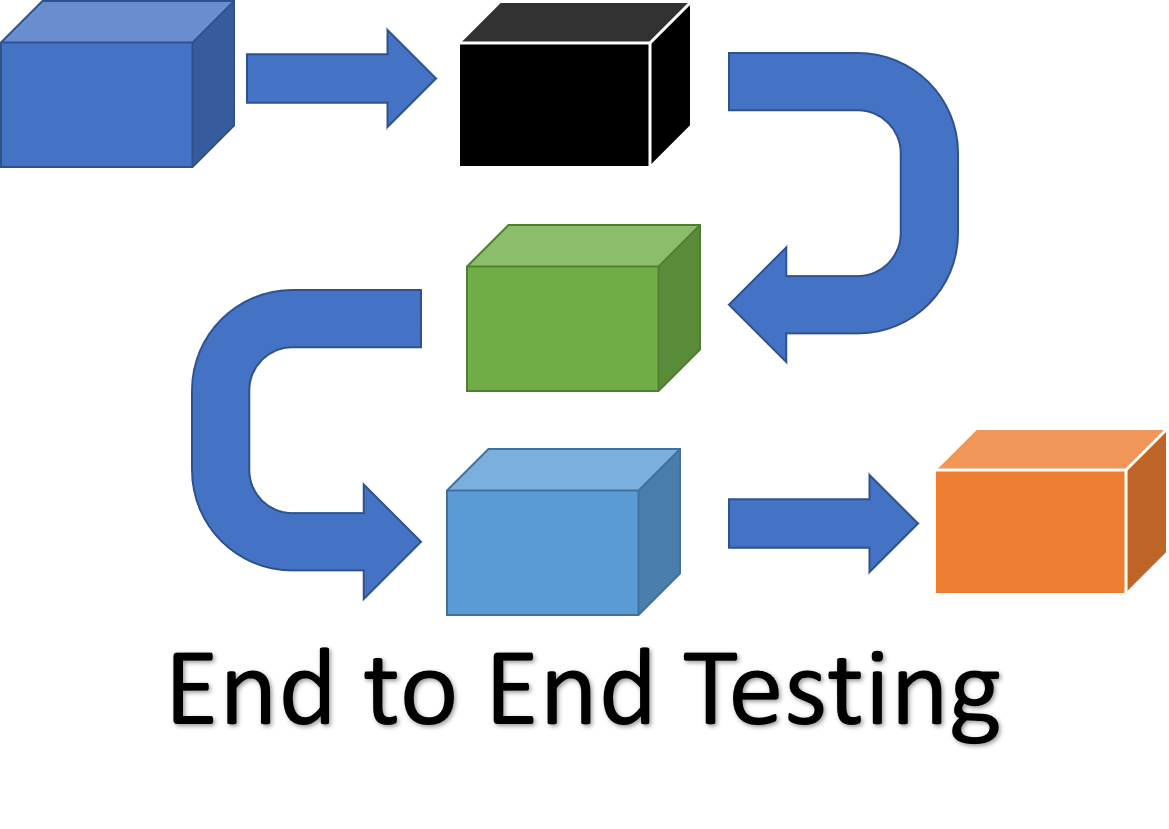
End-to-end (E2E) testing is a Software testing methodology to test a functional and data application flow consisting of several sub-systems working together from start to end.
At times, these systems are developed in different technologies by different teams or organizations. Finally, they come together to form a functional business application. Hence, testing a single system would not suffice. Therefore, end-to-end testing verifies the application from start to end putting all its components together.
Why E2E Testing [The Why]
In many commercial software application scenarios, a modern software system consists of its interconnection with multiple sub-systems. These sub-systems can be within the same organization or can be components of different organizations. Also, these sub-systems can have somewhat similar or different lifetime release cycle from the current system. As a result, if there is any failure or fault in any sub-system, it can adversely affect the whole software system leading to its collapse.
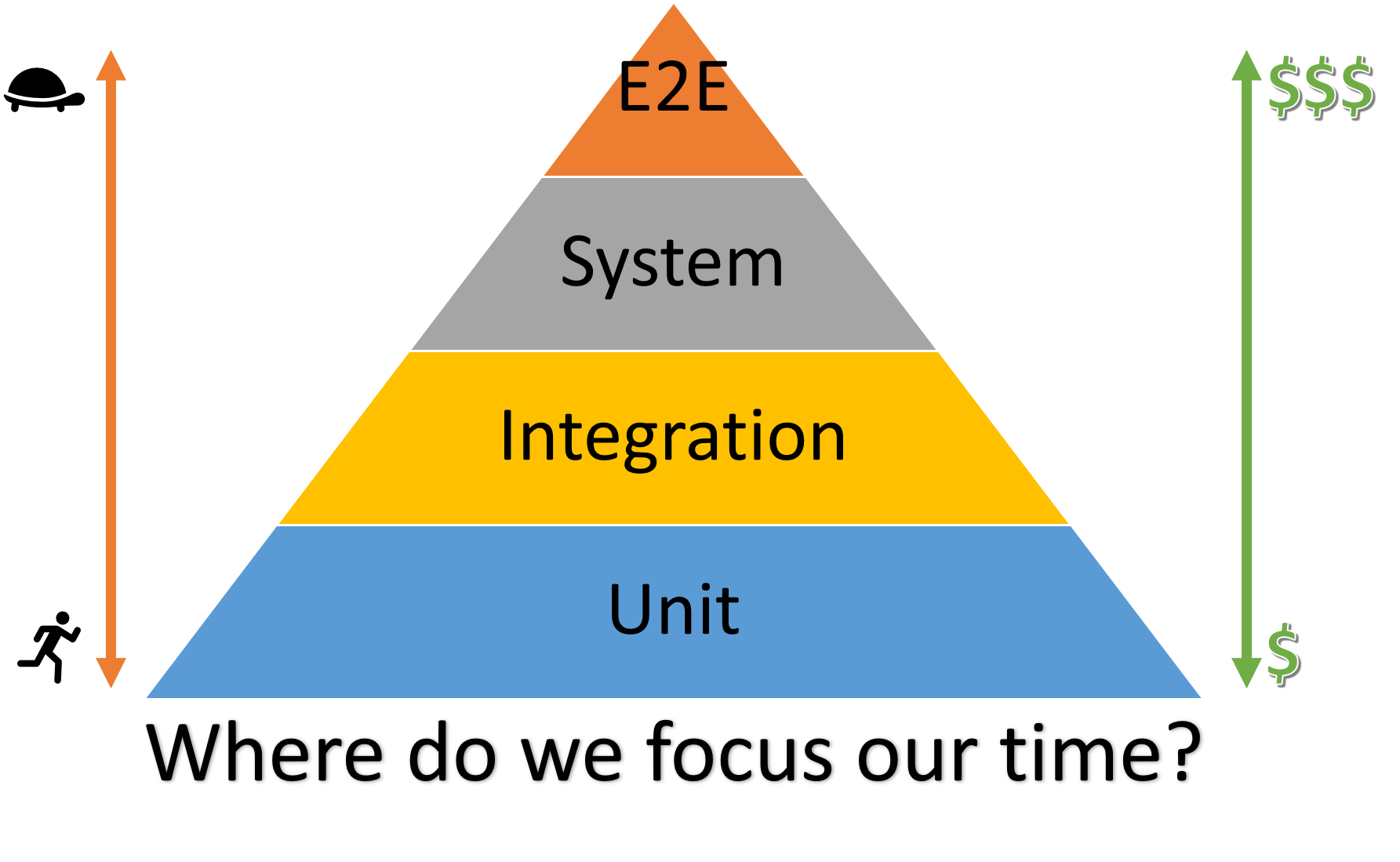
The above illustration is a testing pyramid from Kent C. Dodd’s blog which is a combination of the pyramids from Martin Fowler’s blog and the Google Testing Blog.
The majority of your tests are at the bottom of the pyramid. As you move up the pyramid, the number of tests gets smaller. Also, going up the pyramid, tests get slower and more expensive to write, run, and maintain. Each type of testing vary for its purpose, application and the areas it’s supposed to cover. For more information on comparison analysis of different testing types, please see this Unit vs Integration vs System vs E2E Testing document.
E2E Testing Design Blocks [The What]
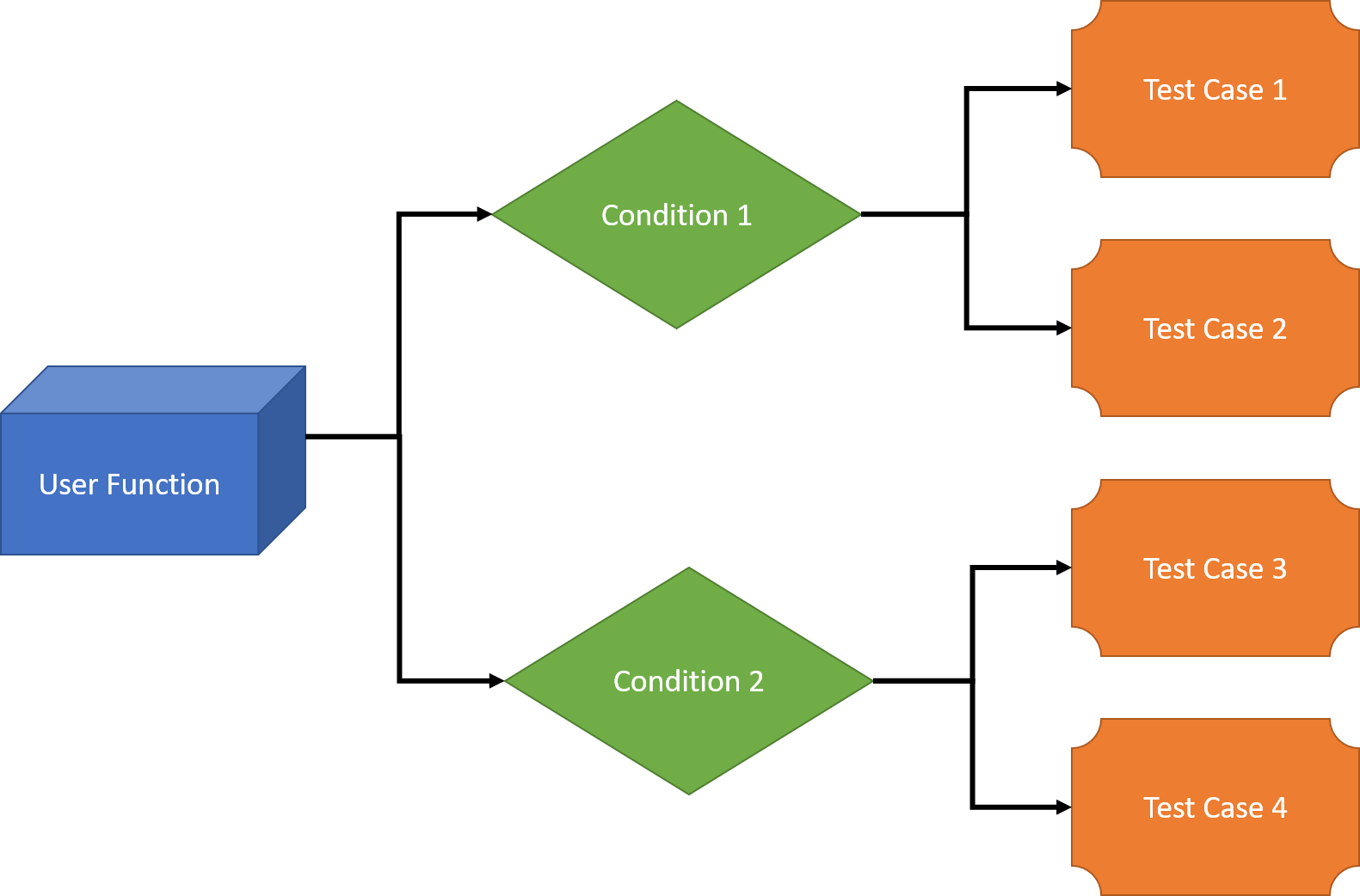
We will look into all the 3 categories one by one:
User Functions
Following actions should be performed as a part of building user functions:
- List user initiated functions of the software systems, and their interconnected sub-systems.
- For any function, keep track of the actions performed as well as Input and Output data.
- Find the relations, if any between different Users functions.
- Find out the nature of different user functions i.e. if they are independent or are reusable.
Conditions
Following activities should be performed as a part of building conditions based on user functions:
- For each and every user functions, a set of conditions should be prepared.
- Timing, data conditions and other factors that affect user functions can be considered as parameters.
Test Cases
Following factors should be considered for building test cases:
- For every scenario, one or more test cases should be created to test each and every functionality of the user functions. If possible, these test cases should be automated through the standard CI/CD build pipeline processes with the track of each successful and failed build in AzDO.
- Every single condition should be enlisted as a separate test case.
- Test cases should follow a consistent format with clear pre-conditions, steps, and expected results.
Applying the E2E testing [The How]
Like any other testing, E2E testing also goes through formal planning, test execution, and closure phases.
E2E testing is done with the following steps:
Planning
- Business and Functional Requirement analysis
- Test plan development
- Test case development
- Production like Environment setup for the testing
- Test data setup
- Decide exit criteria
- Choose the testing methods that most applicable to your system. For the definition of the various testing methods, please see Testing Methods document.
- Select appropriate testing tools and frameworks
Pre-requisite
- System Testing should be complete for all the participating systems.
- All subsystems should be combined to work as a complete application.
- Production like test environment should be ready.
- Monitoring and observability tools should be configured.
Test Execution
- Execute the test cases
- Register the test results and decide on pass and failure
- Report the Bugs in the bug reporting tool
- Re-verify the bug fixes
- Perform regression testing when needed
Test closure
- Test report preparation
- Evaluation of exit criteria
- Test phase closure
- Lessons learned documentation
Test Metrics
The tracing the quality metrics gives insight about the current status of testing. Some common metrics of E2E testing are:
- Test case preparation status: Number of test cases ready versus the total number of test cases.
- Frequent Test progress: Number of test cases executed in the consistent frequent manner, e.g. weekly, versus a target number of the test cases in the same time period.
- Defects Status: This metric represents the status of the defects found during testing. Defects should be logged into defect tracking tool (e.g. AzDO backlog) and resolved as per their severity and priority. Therefore, the percentage of open and closed defects as per their severity and priority should be calculated to track this metric. The AzDO Dashboard Query can be used to track this metric.
- Test environment availability: This metric tracks the duration of the test environment used for end-to-end testing versus its scheduled allocation duration.
- Test coverage: Percentage of user journeys and critical paths covered by the E2E tests.
- Test execution time: Average time taken to execute the complete E2E test suite.
Modern E2E Testing Tools
Selecting the right tools can significantly improve the efficiency and effectiveness of E2E testing:
Web Application Testing
- Cypress: Modern, JavaScript-based end-to-end testing framework
- Playwright: Microsoft’s automation library for reliable end-to-end testing
- Selenium: Well-established framework for browser automation
- TestCafe: No-installation cross-browser testing solution
API Testing
- Postman: API testing and documentation platform
- REST-assured: Java library for REST API testing
- Pact: Contract testing tool for API integrations
Mobile Application Testing
- Appium: Cross-platform mobile automation tool
- Detox: End-to-end testing for mobile apps
- XCUITest: Native iOS UI testing framework
- Espresso: Native Android UI testing framework
Best Practices
To maximize the effectiveness of E2E testing:
- Minimize E2E tests: Focus on critical user journeys rather than trying to test everything
- Maintain test data: Use consistent and reliable test data management strategies
- Optimize test execution: Run tests in parallel when possible to reduce execution time
- Implement proper reporting: Use clear reporting mechanisms to quickly identify failures
- Include E2E tests in CI/CD: Integrate tests into the deployment pipeline for fast feedback
- Handle flakiness: Design robust tests that can handle timing issues and environmental differences
- Separate test layers: Don’t use E2E tests for what unit or integration tests could verify faster
- Use realistic environments: Test in environments that closely resemble production
- Implement proper logging: Ensure tests provide sufficient debugging information when they fail
- Regular maintenance: Update tests as the application evolves to prevent test debt
Challenges and Solutions
| Challenge | Solution |
|---|---|
| Slow execution time | Parallelize tests, use selective testing strategies |
| Flaky tests | Implement retry mechanisms, improve test isolation, use stable selectors |
| Complex test environments | Use containerization, infrastructure-as-code for consistent environments |
| Test data management | Implement dedicated test data management strategies and tools |
| Maintaining tests | Follow page object patterns and other design patterns for maintainable tests |