E2E Testing
End-to-end (E2E) testing validates the complete workflow of an application, ensuring all integrated components work together as expected. In modern DevOps, E2E tests are critical for cloud-native, microservices, and distributed systems across AWS, Azure, GCP, and on-prem environments.
E2E Testing
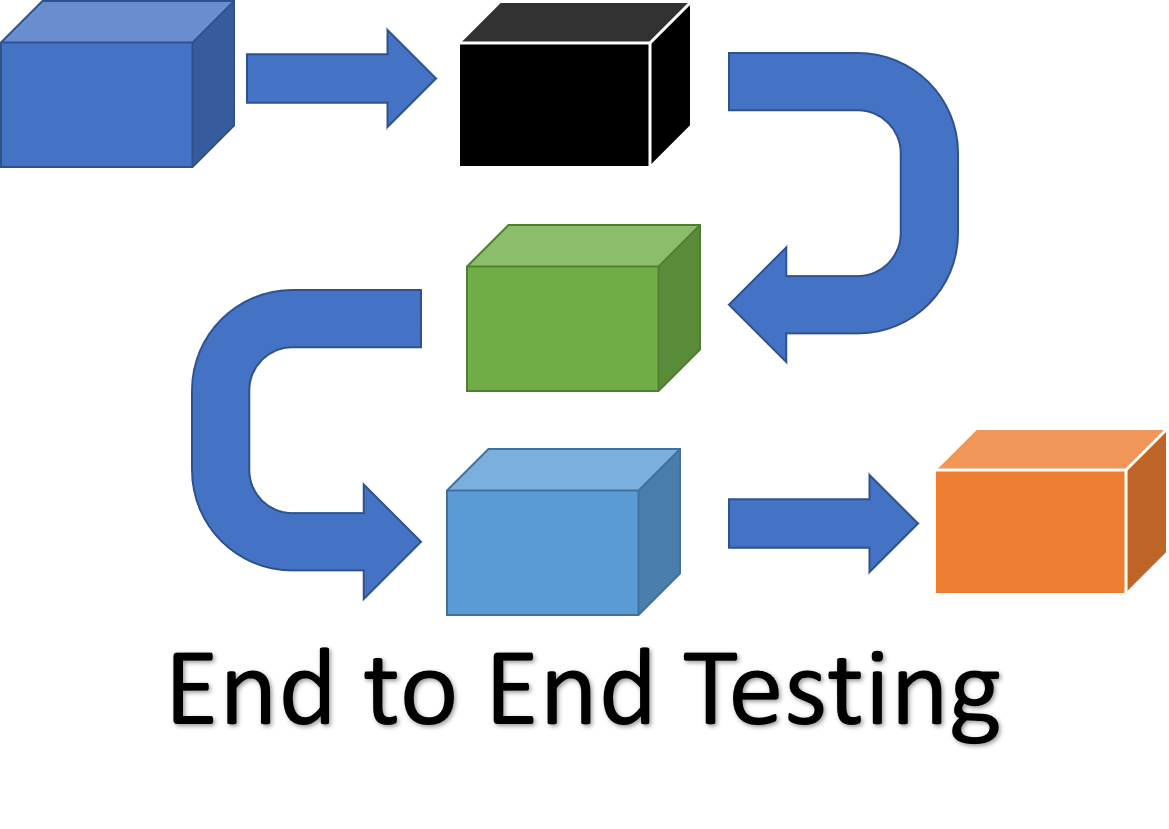
End-to-end (E2E) testing is a Software testing methodology to test a functional and data application flow consisting of several sub-systems working together from start to end.
At times, these systems are developed in different technologies by different teams or organizations. Finally, they come together to form a functional business application. Hence, testing a single system would not suffice. Therefore, end-to-end testing verifies the application from start to end putting all its components together.
Why E2E Testing
In many commercial software application scenarios, a modern software system consists of its interconnection with multiple sub-systems. These sub-systems can be within the same organization or can be components of different organizations. Also, these sub-systems can have somewhat similar or different lifetime release cycle from the current system. As a result, if there is any failure or fault in any sub-system, it can adversely affect the whole software system leading to its collapse.
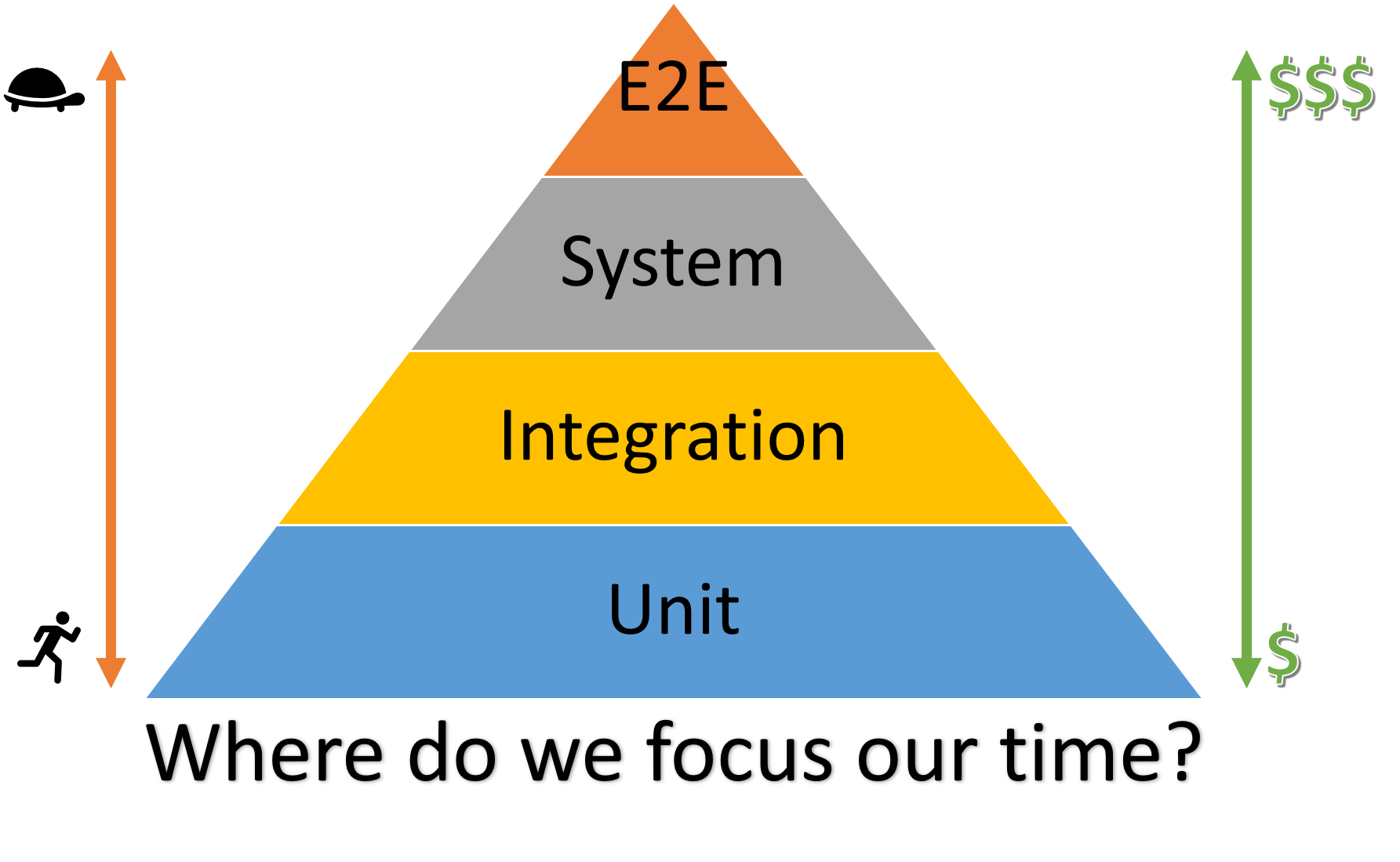
The above illustration is a testing pyramid from Kent C. Dodd’s blog which is a combination of the pyramids from Martin Fowler’s blog and the Google Testing Blog.
The majority of your tests are at the bottom of the pyramid. As you move up the pyramid, the number of tests gets smaller. Also, going up the pyramid, tests get slower and more expensive to write, run, and maintain. Each type of testing vary for its purpose, application and the areas it’s supposed to cover. For more information on comparison analysis of different testing types, please see this ## Unit vs Integration vs System vs E2E Testing document.
E2E Testing Methods: Horizontal vs Vertical
Horizontal E2E Test
A horizontal E2E test covers a business process or data flow that spans multiple applications or services. This is common in data pipelines, ETL workflows, or event-driven architectures.
Example:
- Data is ingested from multiple sources (e.g., AWS S3, Azure Event Hub, GCP Pub/Sub)
- Flows through a gateway API, transformation service, validation, and storage (e.g., data lake)
- E2E test verifies the data is correctly processed and stored, regardless of the source
Best Practice: Use synthetic data and automate validation at each stage. Integrate E2E tests into your CI/CD pipeline (e.g., GitHub Actions, Azure Pipelines, GitLab CI).
Vertical E2E Test
A vertical E2E test validates a critical transaction or workflow through all layers of a single application—from frontend to backend and database.
Example:
- User submits a form in a web app (frontend)
- Request passes through API gateway, middleware, and backend services
- Data is persisted in a database (e.g., PostgreSQL, DynamoDB, Cosmos DB)
- E2E test checks the end-to-end flow, including error handling and data integrity
Best Practice: Automate vertical E2E tests for critical user journeys. Use tools like Selenium, Playwright, or Cypress for UI, and Postman or REST-assured for APIs.
E2E Testing Design Blocks [The What]
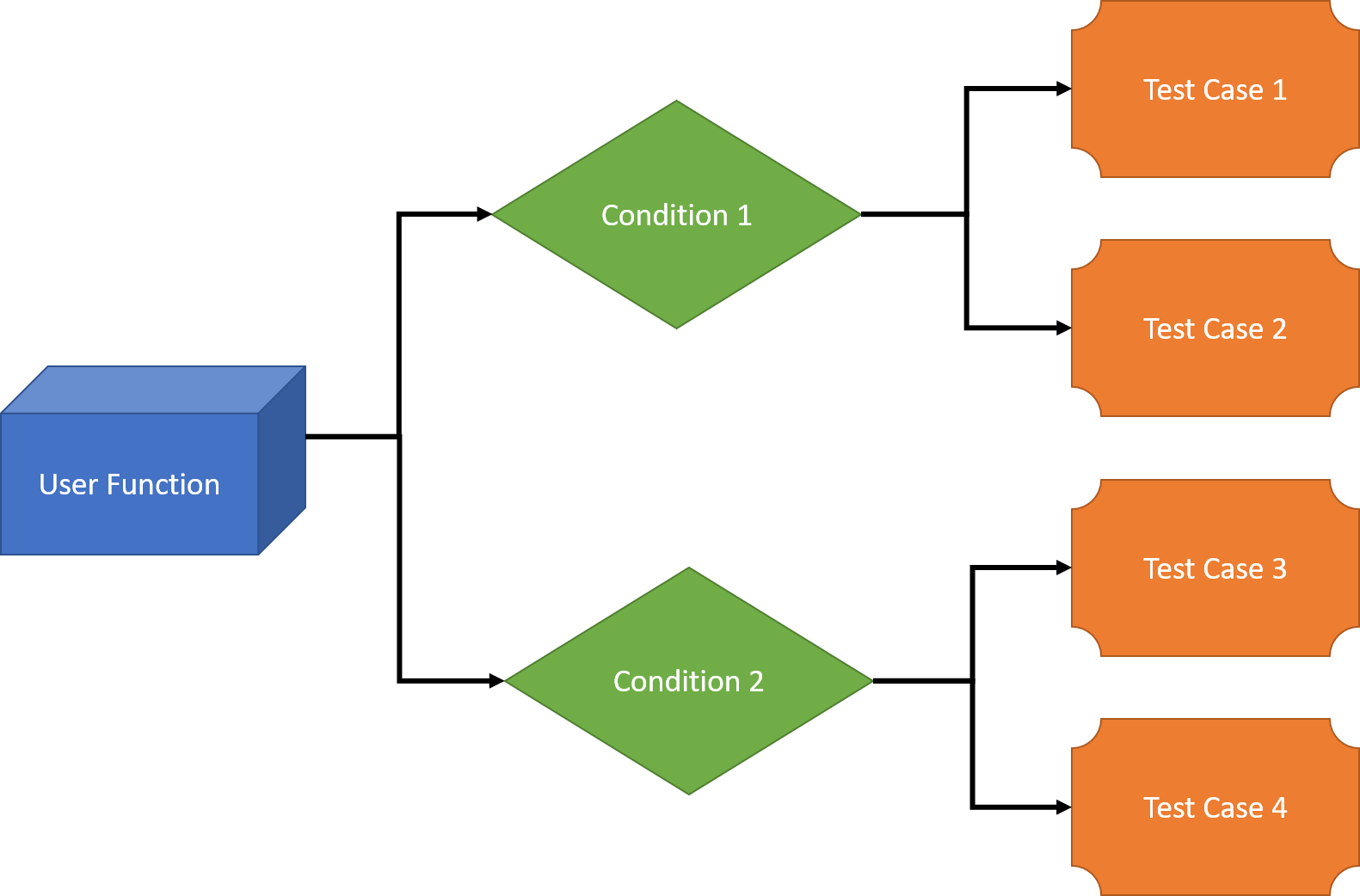
We will look into all the 3 categories one by one:
User Functions
Following actions should be performed as a part of building user functions:
- List user initiated functions of the software systems, and their interconnected sub-systems.
- For any function, keep track of the actions performed as well as Input and Output data.
- Find the relations, if any between different Users functions.
- Find out the nature of different user functions i.e. if they are independent or are reusable.
Conditions
Following activities should be performed as a part of building conditions based on user functions:
- For each and every user functions, a set of conditions should be prepared.
- Timing, data conditions and other factors that affect user functions can be considered as parameters.
Test Cases
Following factors should be considered for building test cases:
- For every scenario, one or more test cases should be created to test each and every functionality of the user functions. If possible, these test cases should be automated through the standard CI/CD build pipeline processes with the track of each successful and failed build in AzDO.
- Every single condition should be enlisted as a separate test case.
Real-Life DevOps Example: E2E Test in a CI/CD Pipeline
Scenario:
- Microservices deployed on Kubernetes (AWS EKS, Azure AKS, GCP GKE)
- E2E test runs after deployment to validate the full user workflow
GitHub Actions Example:
jobs:
  e2e:
    runs-on: ubuntu-latest
    steps:
      - uses: actions/checkout@v4
      - name: Deploy to Kubernetes
        run: ./deploy.sh
      - name: Run E2E Tests
        run: npm run test:e2e
Azure Pipelines Example:
jobs:
- job: e2e
  pool:
    vmImage: 'ubuntu-latest'
  steps:
    - checkout: self
    - script: ./deploy.sh
      displayName: 'Deploy to Kubernetes'
    - script: npm run test:e2e
      displayName: 'Run E2E Tests'
GitLab CI Example:
e2e:
  stage: test
  image: node:18
  script:
    - ./deploy.sh
    - npm run test:e2e
Best Practice:
- Run E2E tests on every pull request and before production releases
- Use cloud-native test environments (ephemeral environments, preview deployments)
- Integrate with monitoring and alerting for failed E2E tests
Applying the E2E testing [The How]
Like any other testing, E2E testing also goes through formal planning, test execution, and closure phases.
E2E testing is done with the following steps:
Planning
- Business and Functional Requirement analysis
- Test plan development
- Test case development
- Production like Environment setup for the testing
- Test data setup
- Decide exit criteria
- Choose the testing methods that most applicable to your system. For the definition of the various testing methods, please see Testing Methods document.
Pre-requisite
- System Testing should be complete for all the participating systems.
- All subsystems should be combined to work as a complete application.
- Production like test environment should be ready.
Test Execution
- Execute the test cases
- Register the test results and decide on pass and failure
- Report the Bugs in the bug reporting tool
- Re-verify the bug fixes
Test closure
- Test report preparation
- Evaluation of exit criteria
- Test phase closure
Test Metrics
The tracing the quality metrics gives insight about the current status of testing. Some common metrics of E2E testing are:
- Test case preparation status: Number of test cases ready versus the total number of test cases.
- Frequent Test progress: Number of test cases executed in the consistent frequent manner, e.g. weekly, versus a target number of the test cases in the same time period.
- Defects Status: This metric represents the status of the defects found during testing. Defects should be logged into defect tracking tool (e.g. AzDO backlog) and resolved as per their severity and priority. Therefore, the percentage of open and closed defects as per their severity and priority should be calculated to track this metric. The AzDO Dashboard Query can be used to track this metric.
- Test environment availability: This metric tracks the duration of the test environment used for end-to-end testing versus its scheduled allocation duration.
LLM Integration Example
Leverage LLMs to generate E2E test cases or test data:
Prompt: "Generate Cypress E2E tests for a login and checkout workflow in a React app."
# LLM returns ready-to-use Cypress test code
References
- Microsoft Engineering Playbook: E2E Testing
- Cypress E2E Testing
- Playwright E2E Testing
- Selenium E2E Testing
Tip: For cloud-native and microservices architectures, combine horizontal and vertical E2E tests for comprehensive coverage. Integrate E2E tests into your CI/CD pipelines for fast feedback and reliability.
```markdown